


AI Image Generator: ImagineArt
4.29.88K Reviews
App Specs
- Version
- 7.11.0
- Updated On
- License
- Free
- Downloads
- 10,000,000+
- Developer
- ImagineArt
- Categories
- Art & Design
- Platform
- Android, iOS
Screenshots
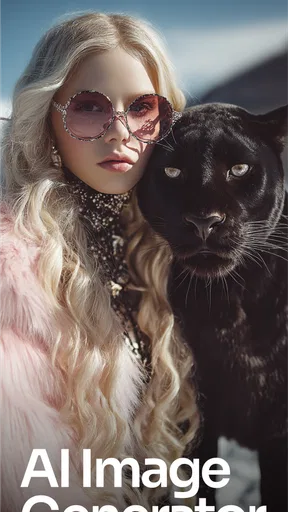
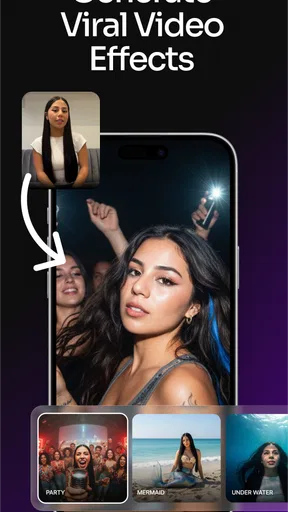
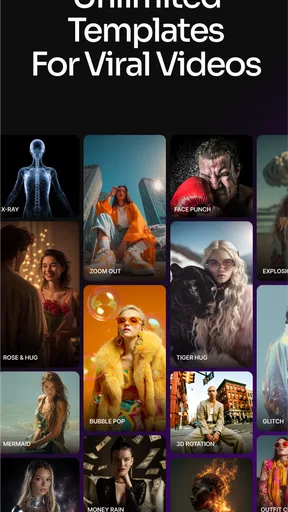
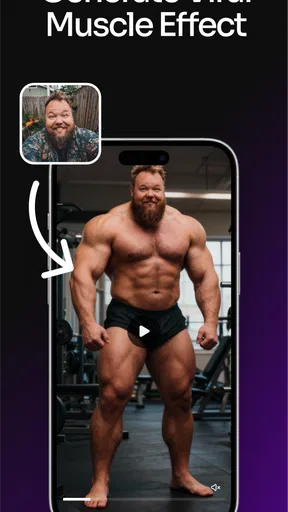
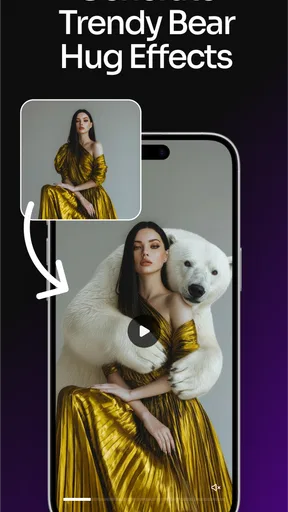
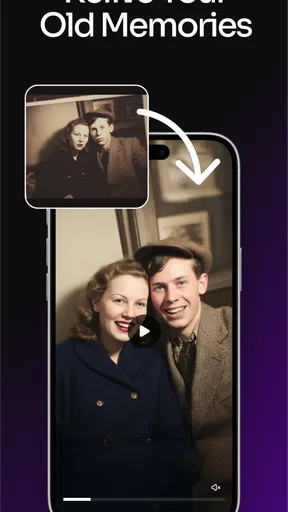
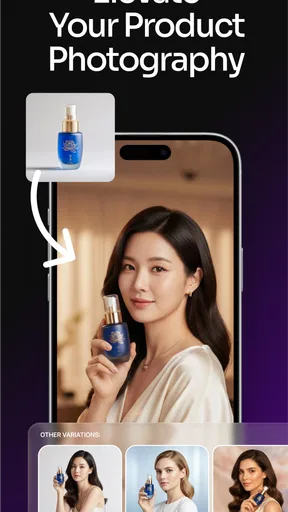
 Analysis by AppCompare
I find AI image tools most useful when they help me explore an idea, rather than when I expect them to deliver a finished design in one tap. AI Image Generator: ImagineArt is built for that kind of experimentation: I can describe a scene, see how the app interprets it, and use the result as a starting point for more creative work. It is an art-and-design app from ImagineArt, and its appeal is straightforward: you do not need to know how to draw to begin making visuals.
The app is free to install, although in-app purchases range from $5.99 to $799.99 per item, so I would check the options carefully before committing to a paid plan or purchase. Its Teen content rating is also worth bearing in mind if a younger family member will be using it. The current version is 7.3.1, and the app has been available since November 25, 2022. Those facts give a little context for its life as a product, but they do not tell me how every individual update changed the creative workflow.
What I would use it for
For a quick personal project, I would use ImagineArt to test visual directions before opening a more traditional editor. Say I am making a birthday card and have only a rough idea—perhaps a moonlit garden with a playful, hand-drawn feel. I can try a concise description, compare the generated image with what I pictured, then adjust the wording or style rather than starting with a blank canvas. That makes the app useful for brainstorming, mood-board material, profile artwork, or a visual prompt for a larger project.
There is a practical distinction between getting an image that feels exciting and getting one that is ready to publish. I would treat generated work as a draft when the design needs exact text, precise brand colors, or a carefully controlled layout. A prompt can guide the overall mood, but a visual generator is not the same thing as a conventional design editor where I place every element myself. For a logo, for example, I would explore concepts here and then check lettering and proportions in a tool designed for precise finishing.
The app sits between an image-making toy and a hands-on design workspace. Compared with drawing manually, it removes the need to sketch every shape; compared with a standard photo editor, it is better suited to inventing a scene than to making exact edits to a specific photograph. I would choose it when I want several imaginative starting points quickly, and choose a layer-based graphics app when control, repeatability, or production-ready files matter more than surprise.
Unleashing Creativity with ImagineArt
The first thing you'll notice about ImagineArt is its super intuitive interface. It’s like the app just knows what you want to do. You start by inputting a few keywords or phrases, and voilà, the AI gets to work. It's a bit like magic, and I found myself getting lost in creating all sorts of bizarre and beautiful images.
How It Works
Once you enter your prompts, the app uses advanced algorithms to generate images that match your description. The results are often stunning and sometimes unexpected, which is part of the fun. It’s impressive how the AI interprets your input. I tried "sunset over a futuristic city," and the outcome was nothing short of breathtaking. The blend of colors and abstract elements felt like something straight out of a sci-fi novel.
Worth Reading Before You Choose

EA SPORTS FC Mobile 26 Is a Bigger Football Game, but It Takes Time

Flipboard Shows What News Apps Must Do Beyond the Feed

Switching to Android Auto Means Rethinking Your Driving Routine

Google Calendar Makes a Crowded Week Easier to Manage

Ludo King Makes the Most of the Minutes Between Plans

Baby Panda World Brings Quick Play to Modern Phones, but Its Game Library Feels Busy
Another cool feature is the ability to tweak the images. You can adjust the style, colors, and even the level of abstraction. It’s like having a digital art studio at your fingertips. The app also lets you save your creations or share them directly on social media, which is great for showing off your AI-generated masterpieces.
Why You'll Love It
If you're someone who loves to experiment or simply enjoys art, ImagineArt is a fantastic tool. It's not just for artists; even if you're like me, with zero artistic talent, you can still create something amazing. The app encourages you to explore different styles and ideas without the fear of messing up.
Plus, it’s a great way to unwind. I found myself spending way more time on it than I intended, just seeing what the app would come up with next. There’s something incredibly satisfying about watching your concepts come to life.
Working around the rough edges
My most useful prompt-writing habit is to separate the subject from the atmosphere. I first name the main object or scene, then add a few concrete details about lighting, setting, and mood. If I pile on unrelated adjectives, the result can drift away from the idea; a short prompt with a clear focal point gives me a better basis for judging what to change. I also vary one part at a time—such as the color palette or the visual style—so I can tell which instruction made the image stronger.
That process matters because a surprising result is not automatically a usable one. A generated image can capture the feeling of a concept while missing a specific detail that matters to me. When that happens, I find it more productive to refine the prompt or use the result as a reference than to keep asking for the exact same image in slightly different words. For work where a person’s likeness, a precise product shape, or a particular arrangement must be accurate, I would not rely on a text description alone.
There is also a small but important workflow trade-off: generation is good for opening creative doors, while finishing still takes judgement. Before sharing an image, I would zoom in and check whether the key details match my intention, then decide if it needs another pass or a separate editor. Saving a promising version before experimenting further is sensible too; otherwise, a later variation may feel less successful than the first. This is a simple way to keep exploration from turning into an endless loop.
Who gets the most from it
I think ImagineArt suits curious beginners, casual creators, and artists who want quick visual references more than people who need complete control over every pixel. It can help someone who has a clear mood in mind but lacks the drawing skills to express it, or a designer who wants to compare several broad directions before building a polished piece elsewhere. The best results come when I treat the app as a collaborator for ideas, not as a replacement for every step of a design process.
I would be more cautious if I needed a reliable logo file, exact typography, consistent characters across a series, or a carefully aligned layout. Those jobs depend on precision and repeatability, so a dedicated vector, illustration, or page-layout app is usually the better finishing choice. ImagineArt can still help with early concepts, but I would not make it the only tool in a workflow where small visual errors could cause a problem.
For families, the Teen rating is a useful signal to consider before handing over a device, especially if the app will be used without supervision. And because the app has optional in-app purchases, I would review the purchase choices before letting a child explore freely. The free entry point makes it easy to try the basic creative experience, but I would avoid assuming that every tool or amount of use is included without cost.
How it has developed—and what I would watch
ImagineArt launched in late 2022 and is now at version 7.3.1, which shows that it has continued through multiple releases. It has also built a sizable audience: more than 10 million installs, an average rating of 4.2 from around 397,000 ratings, and roughly 9,500 written reviews. I read those figures as signs that the app has reached well beyond a small art niche, not as a guarantee that every prompt will produce a result I love.
For someone who already uses it, a newer version is a reason to check the app after updating and see whether the tools they rely on still fit their routine. I would pay attention to changes in the generation and editing flow, how easy it is to revisit saved work, and whether the options I actually use remain straightforward to find. Those are the details that shape daily usefulness more than a version number on its own. The release history gives context for ongoing development; it does not let me assume a specific feature was added or improved.
The remaining question for me is not whether AI can make an eye-catching picture—it can—but how consistently the app helps me turn one into something I can use. If I were deciding whether to keep it in my creative toolkit, I would test a few very different prompts: one atmospheric scene, one practical design concept, and one image where a particular detail matters. That gives a more honest sense of its strengths than judging it by a single lucky result. I would also keep an eye on the purchase choices as my needs change, rather than paying for capabilities I may only use once.
Final Thoughts
In a nutshell, ImagineArt is a must-try for anyone interested in digital art or AI. It's user-friendly, endlessly entertaining, and a great way to unleash your creativity. Whether you’re a seasoned artist or just someone who appreciates cool visuals, this app has something to offer.
So, go ahead and give it a shot. You might just discover a new hobby or at the very least, impress your friends with your newfound digital art skills. Happy creating!
Pros
- User-friendly interface for quick navigation.
- High-quality image output with vivid colors.
- Offers various customizable style options.
- Fast processing time for generating images.
- Regular updates with new features and styles.
Cons
- Limited free features
- in-app purchases required.
- Occasional glitches with complex images.
- Requires a stable internet connection.
- Can be resource-heavy on older devices.
- Lacks a detailed tutorial for new users.
FAQs for AI Image Generator: ImagineArt
What is ImagineArt, and how does it work?
ImagineArt is an AI-powered image generator application available on both Android and iOS platforms. It uses advanced algorithms to transform text prompts into unique and creative images. Users can input descriptive text, and the app will generate an image that visualizes the description. The app provides an intuitive interface, making it accessible to both beginners and experienced users.
Are there any subscription fees or in-app purchases in ImagineArt?
ImagineArt offers a free version with basic features and a limited number of daily image generations. For those seeking more advanced options and unlimited access, there are subscription plans available. These plans unlock premium features such as high-resolution outputs, exclusive art styles, and priority processing. Pricing details can be found within the app's settings.
What are the system requirements for installing ImagineArt on a mobile device?
To install ImagineArt, your device needs to run on Android 8.0 or iOS 12.0 or later. The app requires a stable internet connection for generating images, as the AI processing is performed on external servers. Ensure you have sufficient storage space, as the app and generated images can consume considerable memory.
Is ImagineArt suitable for professional use?
ImagineArt is designed for both casual and professional use. While it excels at creating imaginative and artistic images, professionals in fields like graphic design and digital marketing may find it a valuable tool for brainstorming and concept development. However, for commercial use, reviewing the app’s licensing agreements is recommended to ensure compliance.
How does ImagineArt ensure user privacy and data security?
ImagineArt prioritizes user privacy by adhering to strict data protection policies. The app only collects minimal user data necessary for functionality, and it does not store any text prompts or generated images without user consent. All data transmissions are encrypted to safeguard against unauthorized access, ensuring a secure user experience.


